Plan your project in minutes.
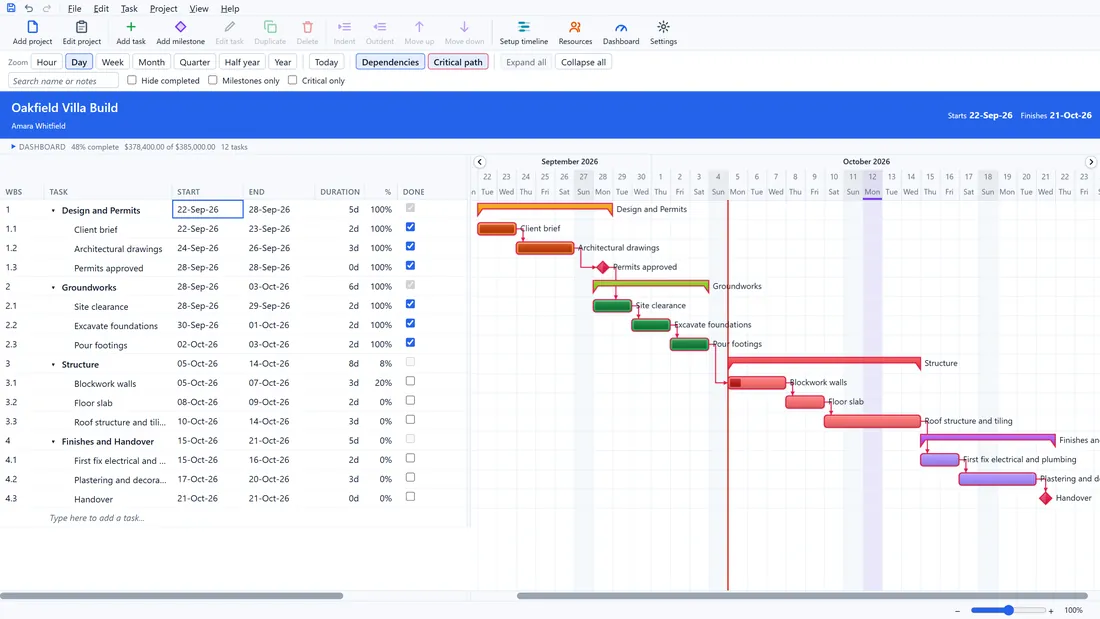
Desktop Plan is Gantt chart and project scheduling software for Windows and Mac. Type your tasks and how long each one takes, and it draws the chart and keeps every date in step when something moves.
Free to download for Windows 10 and 11, and for macOS 13 or later.

The Dark theme.
Everything a real project schedule needs
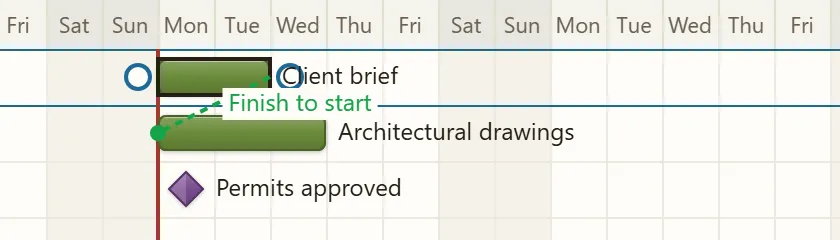
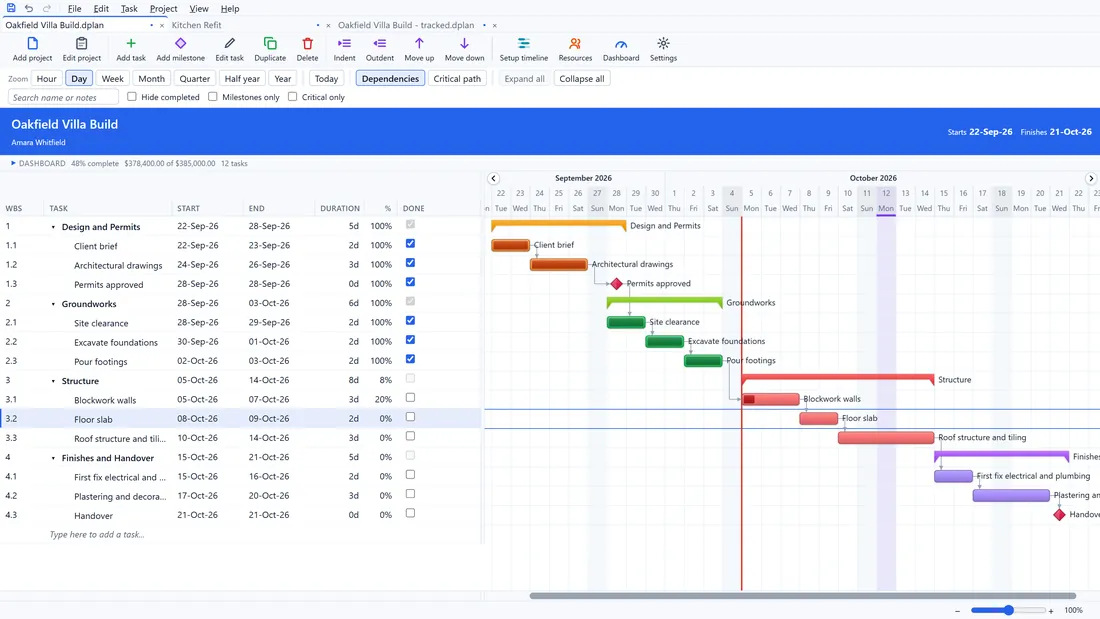
Link tasks by dragging, and the dates follow
Drag from the end of one bar onto the next and they are linked. If a task runs late, every task after it moves on its own. Finish to start, start to start, finish to finish and start to finish, with a lag or a lead.
Know how far you’ve slipped
Set a baseline when the plan is agreed. A thin strip above each bar keeps the original dates.
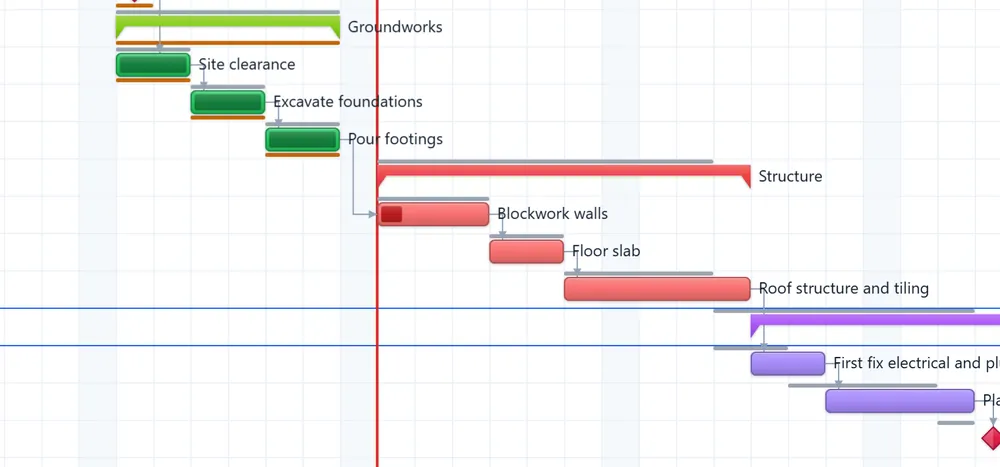
See what decides your finish date
One click outlines the critical path. Add late start, late finish, total float and free slack as columns, or tick Critical only.
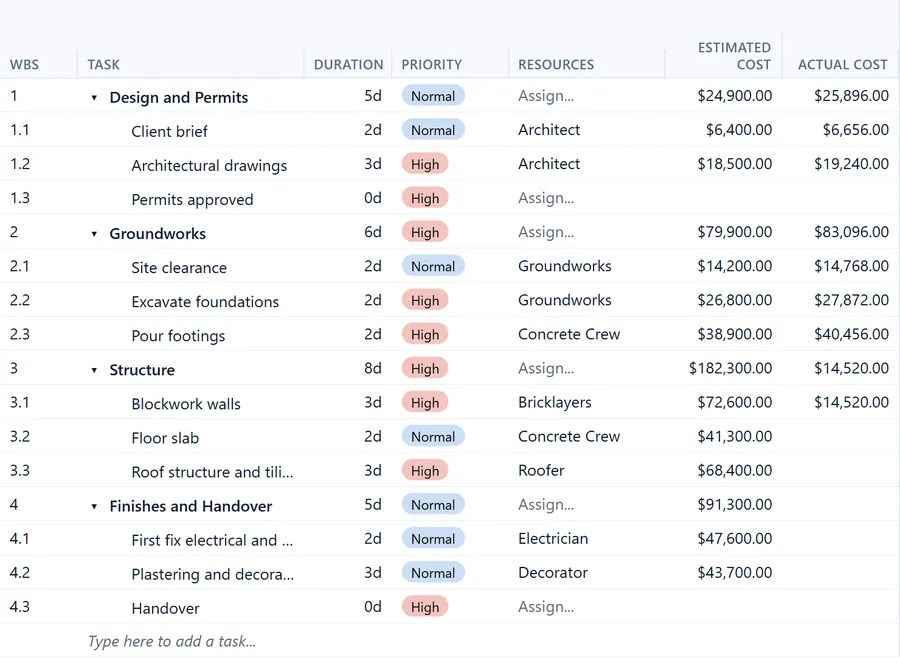
People, rates and budget
Give each person a rate, a working week and days off. Desktop Plan works out the resource cost and compares it with your budget.
A dashboard inside every plan
Right under the project name, three dials show how much is done against how much should be done by today, what the plan will cost against your budget, and how many tasks are done, under way and still to start. Click Dashboard to fold it into one line, and click again to open it. You choose which dials appear.
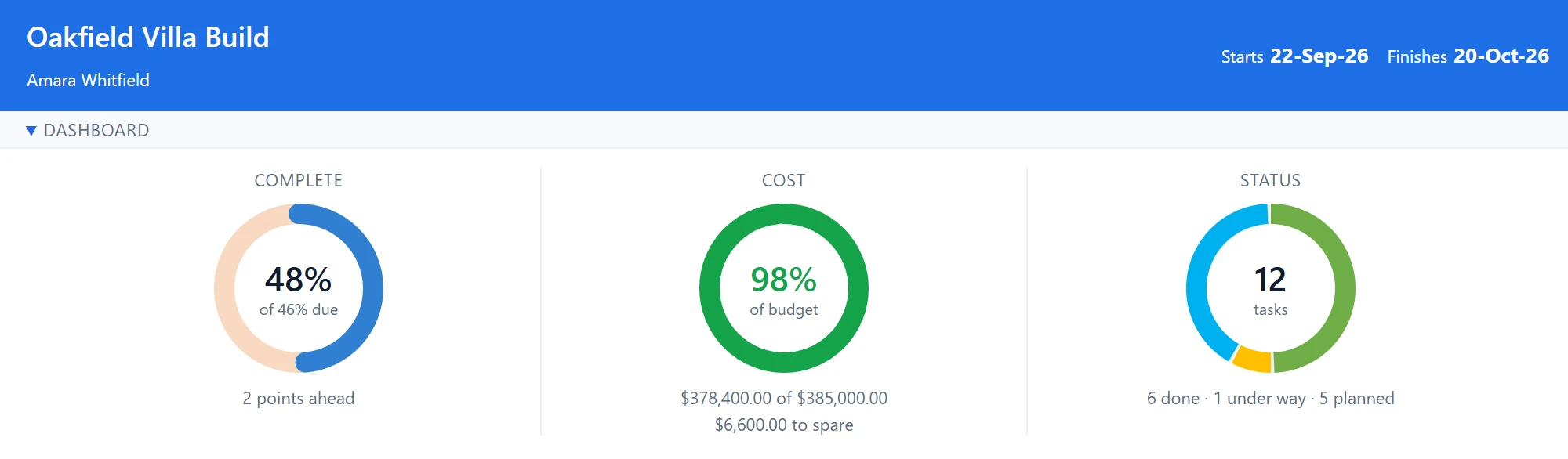
Folded to one line:

The whole project on one page
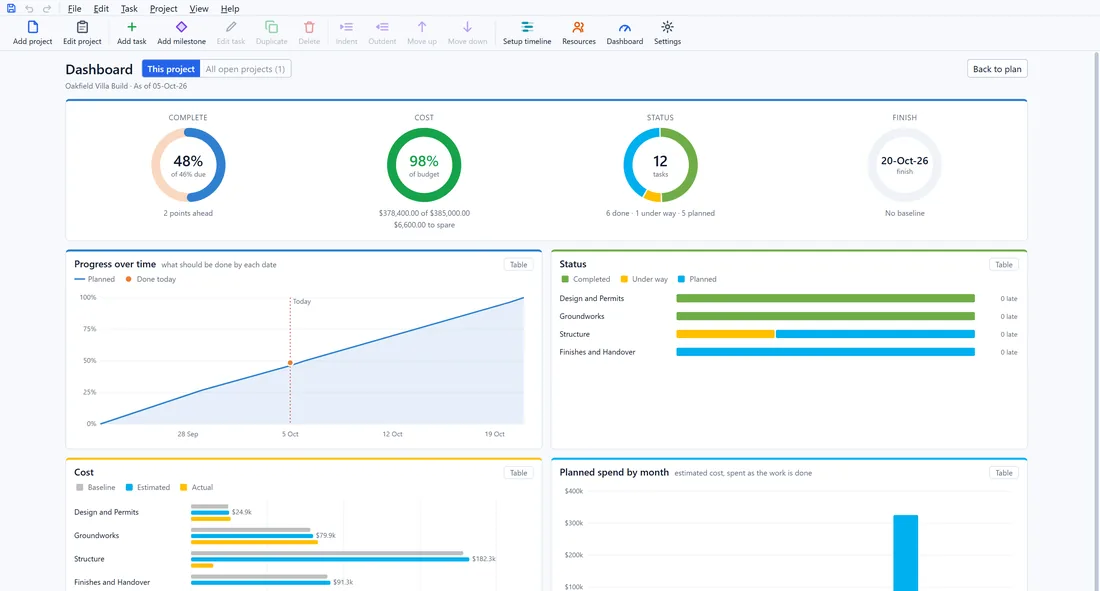
Click Dashboard on the ribbon for the full picture. A fourth dial shows your finish date against the plan you agreed. Charts show progress over time, cost by phase and spending by month, and the workload chart turns red when someone is booked for more hours than they work. Every phase is marked on track, at risk or off track, with lists of tasks that should be finished by now and milestones due in the next 30 days.
Share plans with your team
Keep your plans in a shared folder on Google Drive, OneDrive or your office network, and everyone works from the same file.
Dates that match real life
Set working days, hours and holidays, and give each person their own days off. Type durations as 3d, 4h, 1w or 90m and every date is worked out for you.
Works like Excel
Type straight into the grid, copy and paste with Excel, and press Ctrl+Z to undo. Add up to 20 columns of your own.
Make it yours
Five themes and four bar styles. The theme is saved with the plan, so colleagues see it the same way.
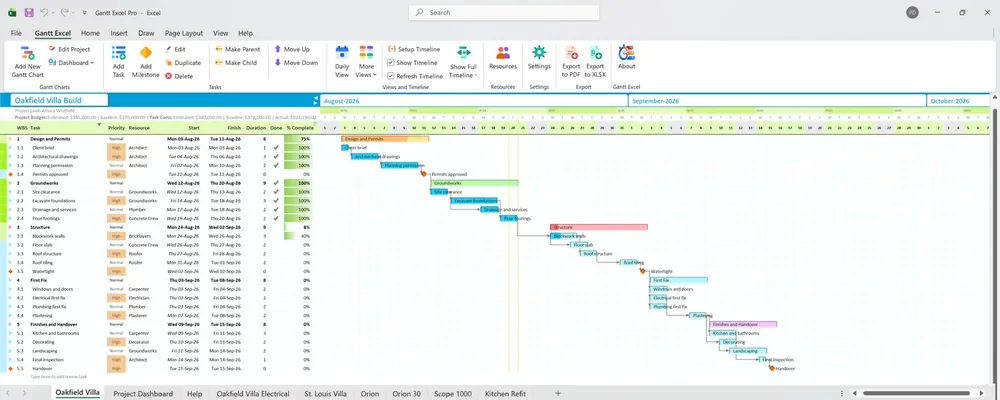
Bring your charts across in a minute.
Straight from Gantt Excel, the Excel project planner rated 4.9 out of 5 and downloaded more than 8.9 million times. Tasks, links, people, costs, baselines and colours all come with them.
Desktop Plan at a glance
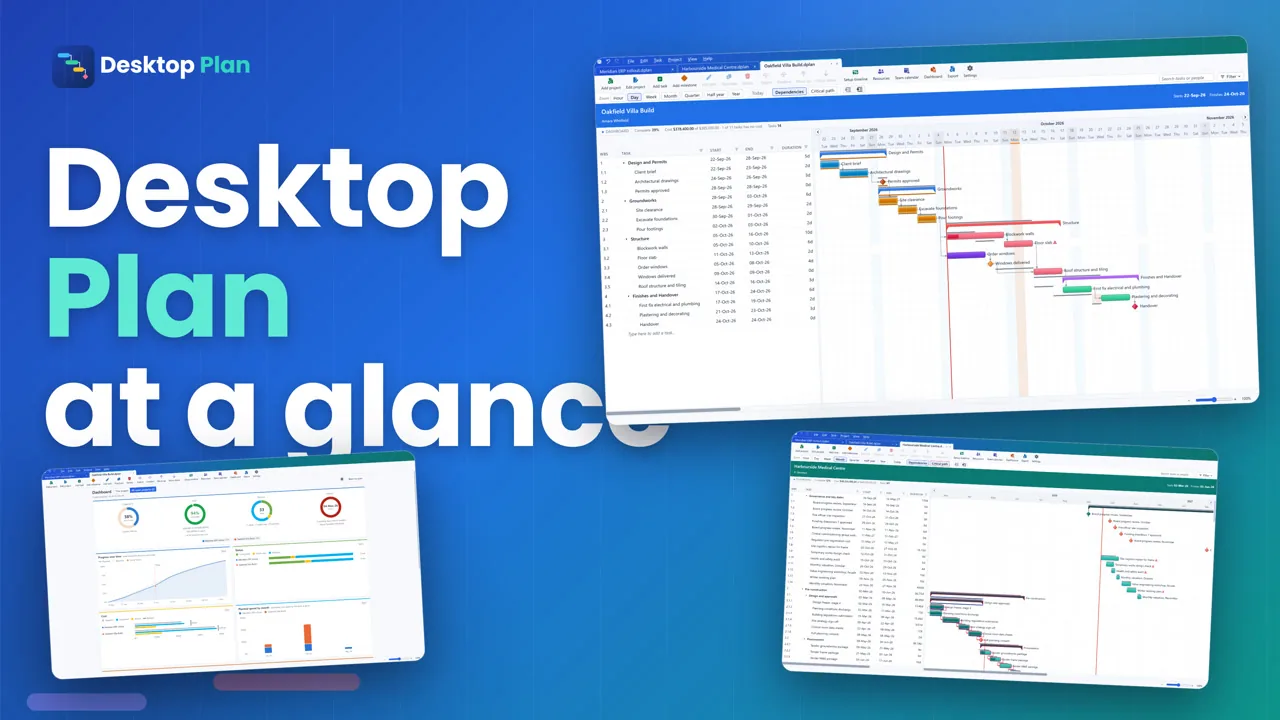
Want the full 7-minute tour? Watch An introduction to Desktop Plan.
Your plans stay on your computer
Works offline
The internet is only needed to activate a licence and check for updates. Desktop Plan never sends your plans anywhere.
One file per plan
Each plan is a single .dplan file. Email it, keep it in a shared folder or back it up like any other file.
Updates on your terms
You are told when a new version is ready. Nothing is installed without your click.
Work is never lost
A safety copy of unsaved work is kept a couple of seconds after each change. After a crash, Desktop Plan offers it back.
Desktop Plan compared with Microsoft Project
Microsoft retired Project Online on 30 September 2026. If you want a planner that runs on your own Windows PC or Mac, here is a straight comparison.
| Desktop Plan | Microsoft Project Standard 2024 | |
|---|---|---|
| Free to download and use | Yes | No |
| Gantt chart with four link types, lag and lead | Yes | Yes |
| Critical path, baselines, resources and costs | Yes | Yes |
| Built-in project dashboard | Yes | Yes |
| Opens Microsoft Project (.mpp) files | Coming soon | Yes |
| Print or save as PDF | Coming soon | Yes |
Good to know
Is Desktop Plan really free?
Yes, with limited tasks.
Does it need the internet?
Only to check for updates and to activate a licence key. Desktop Plan never sends your plans anywhere.
Which computers does it run on?
Windows 10 and Windows 11 (64-bit), and Macs with macOS 13 Ventura or later, Apple silicon or Intel.
Can I share a plan with colleagues?
Yes. Each plan is one .dplan file. Email it, or keep it in a shared folder.
Can I open Microsoft Project files?
Coming soon.
Can I bring in my Gantt Excel charts?
Yes. Desktop Plan imports Gantt Excel workbooks.
Plan your next project in Desktop Plan
Download Desktop Plan for free and plan your first project today.
Windows 10 and 11, 64-bit · macOS 13 or later